

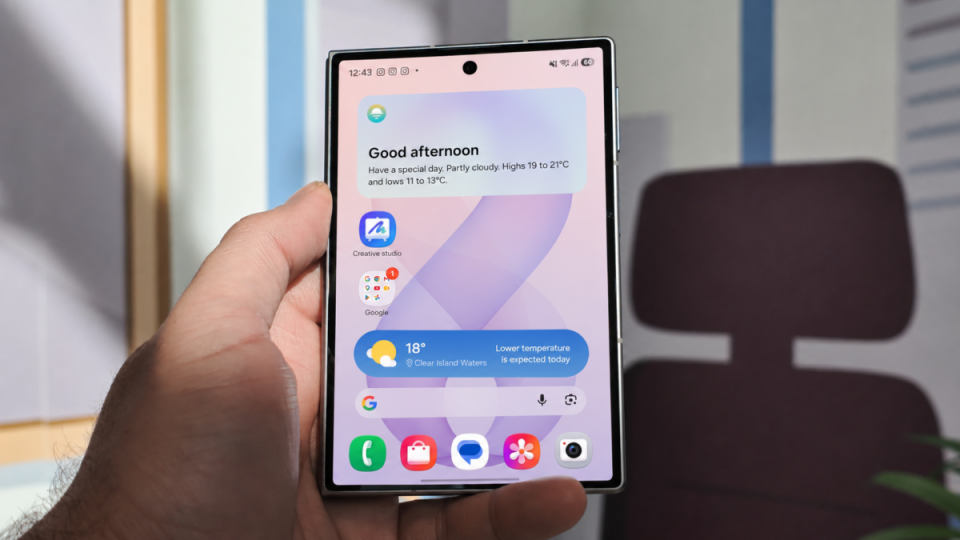
One UI 9 adds a built‑in Google search bar to the home screen on Galaxy Z Fold 8 and Z Fold 8 Ultra, positioned centered directly above the favorites dock.
One UI 9 — how to enable the Google bar
On supported devices the search bar is enabled from the One UI Home launcher settings. Open One UI Home settings, go to Show search on home screen and toggle Search on. The bar will then appear full‑width on the home screen without needing to add the widget manually from the Widgets panel.
Device availability
The feature has been spotted on the Galaxy Z Fold 8 and Z Fold 8 Ultra. A Galaxy S26 Ultra running One UI 9.0 Beta 4 does not yet offer the option, suggesting the Fold models may be running a different One UI 9.0 build than the beta currently distributed on the S26 series. Availability on the Galaxy Z Flip 8 is unclear and presence on other models has not been confirmed.
What this brings to the user experience
The integrated bar functions as a permanent shortcut to Google Search, similar to integrations found on some competitor phones. Placed above the dock, it’s designed to give faster access to search without cluttering the home screen with an added widget.
Until a wider stable rollout, check One UI Home settings on each device to see if the option is present. Fold users can enable it now if their device build includes it; other models will need to wait for confirmation of availability.
