

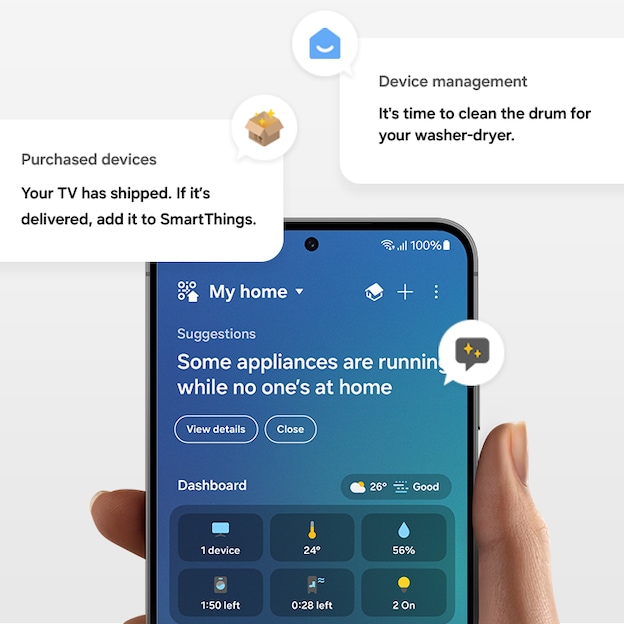
Samsung’s redesigned SmartThings app has arrived on iPhones first. A new iOS update, version 1.7.51, went live earlier today and brings a major UI overhaul to SmartThings on Apple devices before the company’s Galaxy and other Android phones.
SmartThings iOS redesign: what changed
The update introduces Apple’s Liquid Glass design language and a generally lighter color scheme. The app still retains its five main tabs, but those tabs now sit in a compact, floating navigation bar with a Liquid Glass look.
By default the app displays more compact cards for devices and routines; users can resize cards if they prefer larger views. Tapping a device icon turns the device on or off (or triggers its assigned action), while tapping elsewhere on a card opens the device’s full controls.
At the top of the Home tab a dynamic summary card surfaces key insights — weekly or monthly energy usage, quick remote access for TVs, family care alerts and suggested automations — and this summary card can be dismissed to show connected devices immediately. The Home tab also features a Favorites section for pinned devices and routines. The home’s QR code, the location drop-down selector and the overflow menu are now enclosed in individual pill-shaped outlines rather than appearing borderless.
The built-in virtual remote for TVs and smart monitors gains a dedicated Light Mode, and it can be resized for one-handed reach and moved to any of the four screen corners. The dedicated TV hub adopts the floating tab bar layout and is divided into three sections — For You, Featured and Settings — with a persistent Remote shortcut in the bottom right corner.
