

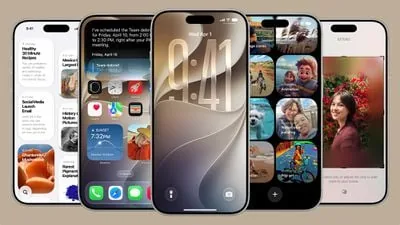
When Apple released iOS 27 in September, Siri AI and Apple Intelligence took most of the headlines. But the update also brings a number of non‑AI changes that I’ve come to really enjoy — from media and sharing improvements to interface tweaks and system conveniences.
iOS 27: Music and Photos improvements
In the Music app, Apple updated AutoMix with new transitions. I was a fan of the initial AutoMix that launched in iOS 26, and the new transitions in iOS 27 are noticeably better and more immersive. In Photos, iCloud Shared Albums now offer full‑resolution sharing, making it easier to share photos and videos without compromising image quality. You can also save a specific video frame as a photo, so you no longer need to take a separate screenshot to capture a particular moment from a clip.
Lock Screen, widgets and Clock
iOS 27 adds an extra‑large widget size for the Home Screen, including full‑screen widgets for apps such as Music, Photos, Weather, and Calendar. On the Lock Screen, you can now swipe away the Now Playing widget. The clock can be moved to the top widget row so it no longer obscures your wallpaper. In the Clock app, there is a new option to set an independent alarm volume in Settings > Sounds & Haptics, so alarms and timers no longer have to match your ringtone volume.
System conveniences and app updates
The Apple Pay checkout flow has been overhauled to make it easier to switch between payment cards. iOS 27 also adds landscape support to more apps — useful for users who keep their iPhone docked — including apps like Music, Reminders, and Weather. The Find My app received a redesign and more flexible sharing options; the new layout shows more specific location information without needing to tap on an individual person.
When you copy something to the clipboard in iOS 27, a built‑in paste shortcut appears above the keyboard the next time you go to a text field, which speeds up copying and pasting across apps. In CarPlay, there’s now an audio scrubber that lets you skip to different parts of a song or podcast directly on the car display.
What are your favorite non‑AI features in iOS 27? Let us know in the comments.
