

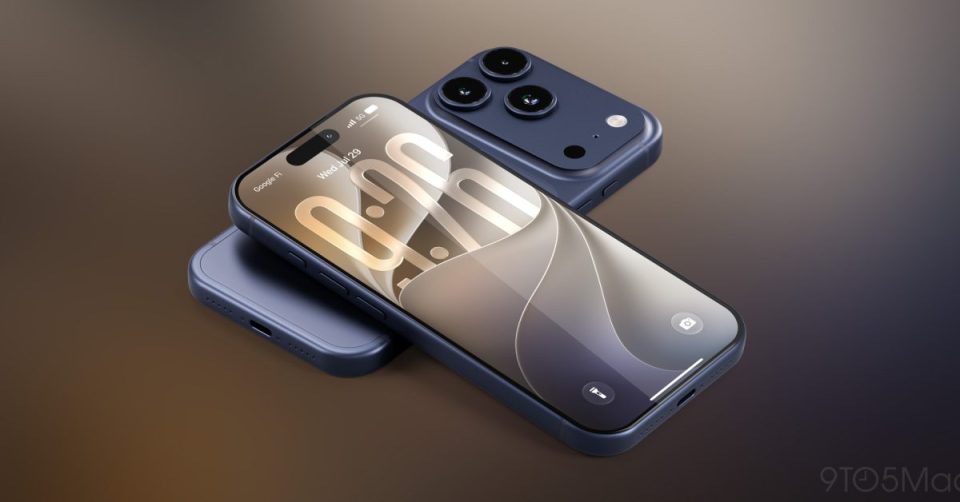
iOS 27 arrives this fall and brings, among other changes, three practical updates focused on everyday phone use: a rebuilt Siri centered on AI, enhanced automatic proofreading for spelling and grammar, and a redesigned system search across Spotlight, Photos, and Mail. These changes are intended to make common tasks faster and more reliable right after you install the update.
iOS 27: Siri rebuilt around AI
Apple says the new Siri was rebuilt “from the ground up.” On iOS 27, Siri AI isn’t just a set of surface refinements: it now handles conversational queries—more like a search engine or chat assistant—and can execute far more tasks directly on the iPhone. The new Siri behaves consistently across devices and includes a dedicated app that groups conversations. After nearly two months using the beta, I’ve found Siri increasingly useful as a daily interface for getting answers and launching tasks without opening apps.
Enhanced autocorrect and grammar checking
iOS 27 expands the traditional keyboard correction system. The spell-check engine is now powered by Apple Intelligence, and a separate tool performs grammar checks. Beyond flagging typos, the system suggests replacements when a word is technically correct but used incorrectly in context. Spelling errors remain underlined in red; replacement suggestions and grammar issues appear in blue, making them less intrusive and more optional. If you prefer not to use these features, they can be disabled in Settings.
Rebuilt search in Spotlight, Photos, and Mail
System search gets a major overhaul in iOS 27. Spotlight now integrates Siri and relies on a more complete, continuously updated index of your content. That same search foundation has been applied to Photos and Mail, promising more relevant and current results. In my beta tests the difference is noticeable: queries return more accurate, faster results, which makes navigating large amounts of on-device information much easier.
A smoother everyday iPhone
These three updates target simple, frequent tasks—asking a question, writing without mistakes, and finding items quickly. Together they show that iOS 27 prioritizes AI and overall user experience over cosmetic changes. For users, the expected benefit is a more natural, more efficient interaction with the iPhone as soon as the update lands this fall.
Which iOS 27 features are you using most in the beta? Share your impressions.
