

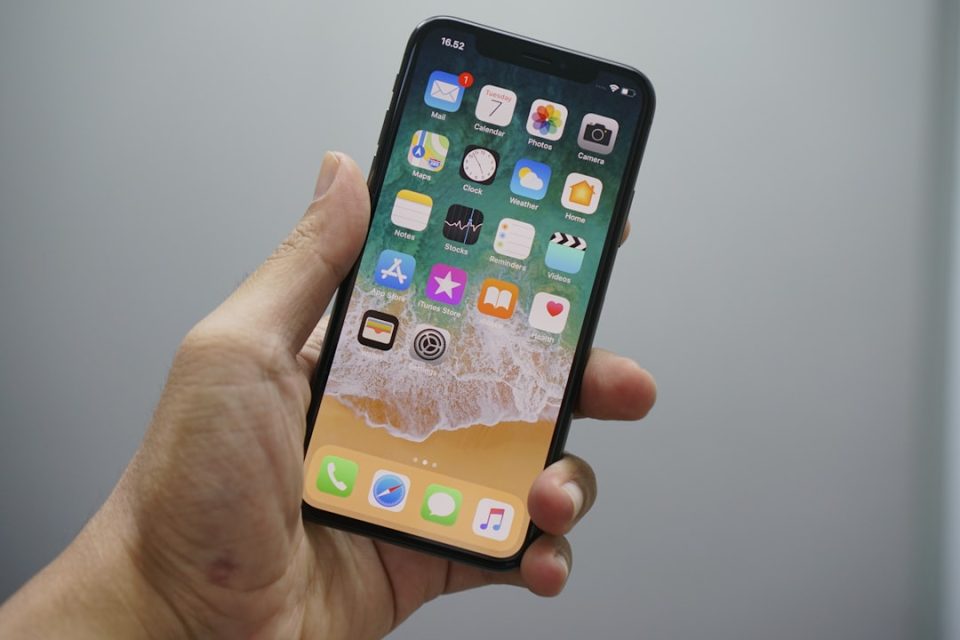
Apple will release iOS 27 in September. The company says this update focuses on refining the operating system and fixing bugs, but it also brings many user-facing additions — notably a context-aware Siri retooled for the generative AI era. iOS 27 is currently in public beta, and can be installed today by users who are comfortable running beta software.
iOS 27: AI and Apple Intelligence features
Apple Intelligence powers a broad set of changes across iOS 27. Siri has been rebuilt for contextual, generative tasks and the new Siri app defaults to that AI; users can switch to ChatGPT by long-pressing the text input and tapping the provider option, though conversation context does not transfer when changing providers. A stronger on-device Apple Intelligence model is available on iPhone 17 Pro, iPhone 17 Pro Max, and iPhone Air; it can understand and generate speech, interpret text and images, and unlocks voice customization controls for expressiveness and pace.
Several features use natural language and visual intelligence: Reminders and Calendar accept natural-language entries and extract dates, times, locations and people; Shortcuts can be created by describing the desired automation in plain language; Camera gains a Siri mode that identifies objects in-frame (plants, animals, food and more), can estimate calories for food, and can add detected event dates to Calendar or translate captured text. Safari uses Apple Intelligence to organize open tabs into topic-based collections automatically.
Image Playground is upgraded with a new generative model running on Private Cloud Compute, able to produce high-quality images in many styles including photorealistic output; all generated images carry a hidden SynthID watermark, and the app now supports photo-based editing. Apple Intelligence also enables automatic password updates in Passwords by using Safari to sign in and change weak or compromised passwords on supported sites.
Photos, Camera and the Lock Screen
Photos and the Lock Screen gain several practical tools. A new Extend option uses Apple Intelligence to expand a photo beyond its original edges so it fills the Lock Screen more naturally; Extend is also available in the Photos app. Photos can be reframed after capture using spatial data combined with AI to alter perspective and fill missing pixels. You can now create a slideshow from any album or selection and save it as a video, pull a still frame from video and save it as a photo, and assign one- to five-star ratings and keywords to images and video when Show Rating Controls is enabled.
Lock Screen customization adds a compact clock layout that moves the time to a smaller format near the date and widgets, and a new Liquid Glass slider in Settings ➝ Appearance ➝ Liquid Glass lets users adjust translucency from clear to more opaque.
Communication, calls and FaceTime
Messaging and calling receive a mix of refinements. Messages now allows inline replies to individual messages from Android users by long-pressing a green bubble and choosing Reply, a capability that previously worked only for iMessage. The app also supports drawing sketches via a Markup-style interface accessed from the plus button in a conversation.
FaceTime on supported iPhone 17 models and iPhone Air can share front and back camera views simultaneously with Dual Capture; callers can see both your face and what the rear camera shows, and you can disable the front view if you prefer. Phone gains Call Context, which surfaces relevant information during business calls — for example, a reservation number pulled from Mail — and runs entirely on device without accessing call audio.
Safari, extensions and web tools
Safari adds several features: automatic tab organization into topic groups, a Create an Extension option that generates browser extensions from plain-language prompts, and a Notify Me tool that monitors webpages and alerts users to changes such as restocks. The extension generator offers suggested ideas across categories including Productivity, Focus, Creativity and Development.
Wallet, Home, Maps and location
Wallet expands the redesigned pass experience introduced for airline boarding passes to membership, gift, loyalty and rewards cards using a new Poster Generic layout with background image, logo, header and footer fields, main info and optional barcode, plus up to two quick actions. A new Insights feature lets you add Connected Accounts to monitor spending, with bank support required and broader availability in the U.K. than in the U.S.
Home can generate written summaries for motion alerts from HomeKit Secure Video cameras, group footage from multiple cameras, and supports natural-language search; this functionality requires an iCloud+ plan with at least 2TB of storage (listed as a $9.99/month subscription). In Maps, Flyover imagery is enhanced using Apple Intelligence models for improved texture, geometry and lighting, and a Local Lists section surfaces trending places near you; Local Lists is currently available only in the U.S.
Location sharing in Find My gains custom durations — for example, four days and six hours — and allows users to enter an exact end date and time; you can also pause sharing with specific people until the end of the day without notifying them.
Audio, accessibility and small but useful changes
AirPods gain Custom EQ controls for compatible models with the H2 chip — including AirPods Pro 2, AirPods Pro 3, AirPods 4 and AirPods Max 2 — via Settings ➝ [Your AirPods] ➝ Audio & Routing ➝ Equalizer ➝ Custom. Alarms and Timers get a separate Alarms and Timers section under Settings ➝ Sounds & Haptics with a Match Ringtone Volume toggle; disabling it reveals a dedicated alarm volume slider so alarms can sound independently of the ringtone level.
Accessibility adds Live Recognition, an on-device camera feature that identifies and describes people, objects and surroundings in real time and can answer questions about what it sees, including a default prompt option for quick access.
Other refinements include improved Wallet pass quick actions, the ability to switch Siri to ChatGPT from within the Siri AI app (with the noted context limitation), and a new option to monitor webpages for changes. Throughout, Apple emphasizes that some features depend on hardware (for example, the upgraded on-device model on specific iPhone models) or paid services (iCloud+ storage tiers) and that certain features are limited by region or bank support.
If you want to try iOS 27 now, the public beta is available for installation, but it should be used only by those comfortable with beta software.
