

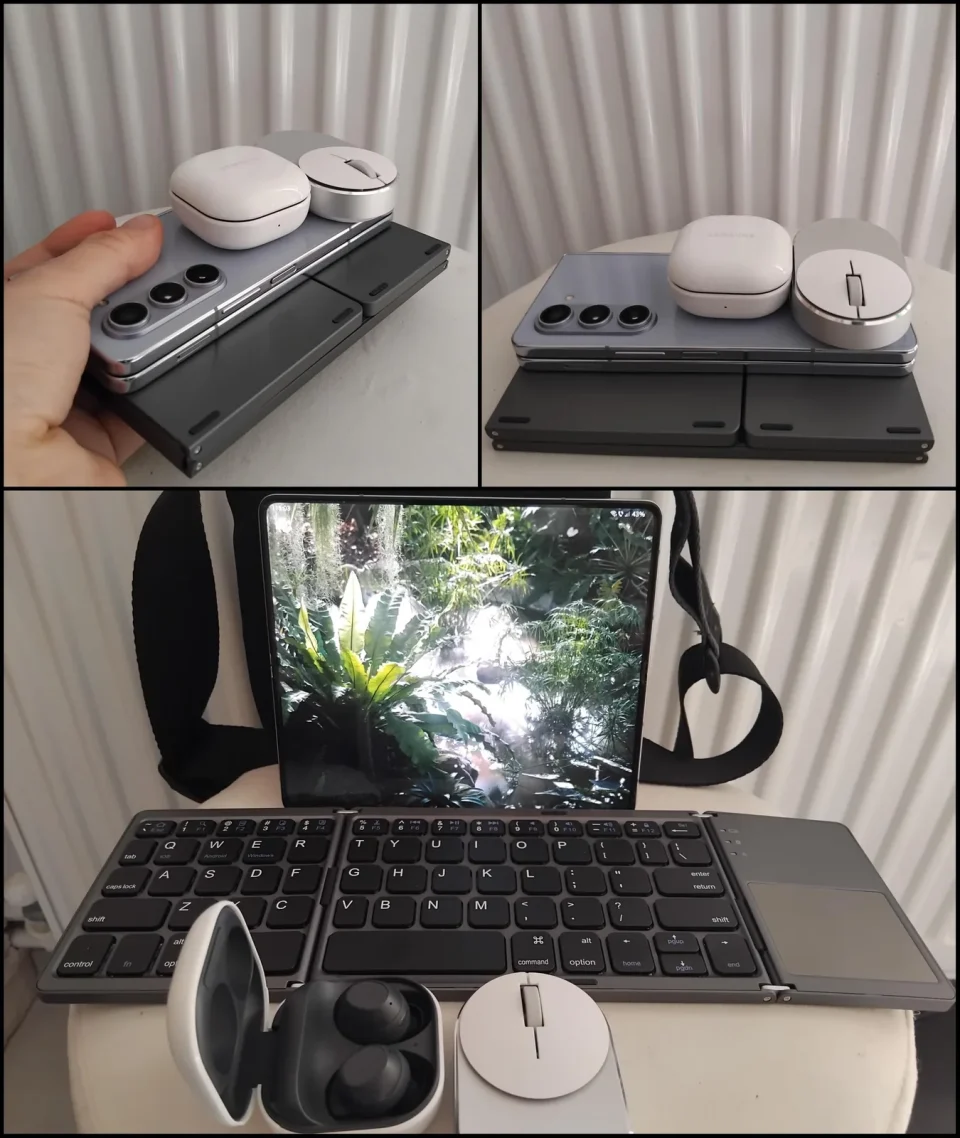
Samsung DeX lets the Galaxy Z Fold 8 become a desktop-style workspace when connected to a monitor or TV with a keyboard and mouse, offering a practical advantage over the iPhone Duo for users whose tasks fit mobile apps.
Samsung DeX workspace and connectivity
DeX does more than simply enlarge the phone interface: it provides resizable app windows, mouse controls and keyboard shortcuts on the external display. Samsung supports a wired connection through USB-C to HDMI or a wireless connection to a compatible Miracast display, allowing the Fold 8 to drive a desk-like setup while the handset remains available for other tasks.
How DeX differs from the iPhone Duo output
Apple’s iPhone Duo supports Split View, saved app pairs and multiple instances of supported apps on its inner display, and it also supports DisplayPort output over USB-C. That output typically mirrors the phone — except for apps that include a separate second-screen experience — rather than providing an independent desktop workspace. By contrast, DeX runs an independent desktop-style environment on the connected display.
Workspace organisation and everyday use
On the Fold 8, DeX lets you organise apps across up to four workspaces with five apps open in each, effectively allowing up to 20 apps across those workspaces rather than 20 windows on a single screen. That lets users keep tasks separate — for example, email and a document in one workspace and browser research in another — and switch between groups without repeatedly rearranging windows. A physical keyboard and mouse make longer typing and text selection easier, and the handset can be used for separate tasks while DeX runs on the monitor.
Limitations and where it delivers value
The value of DeX depends on the work and the available mobile apps: it is strongest for browsing, email and straightforward document work when the mobile apps provide needed functions. DeX does not convert those apps into full Windows or macOS equivalents and is not a replacement for a laptop running demanding desktop software. For users who move between desks that already have a monitor and peripherals, however, the Fold 8 can serve as the computer in their pocket, reducing the need to carry a separate laptop for longer writing or editing sessions.
