

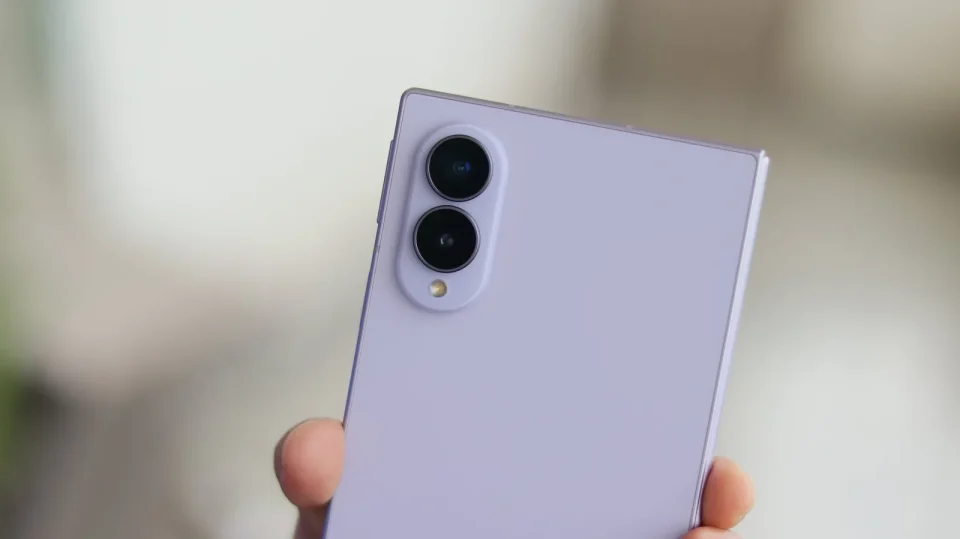
A sharp image alone is not always enough — the Galaxy Z Fold 8 and Fold 8 Ultra aim to give you more control over how you shoot and how you reframe footage afterwards. Beyond a simple jump in megapixels, both devices add manual camera tools, multi-angle recording and post-capture reframing features that change how moments are captured and edited.
Galaxy Z Fold 8: portability and precise control
Both the Fold 8 and Fold 8 Ultra include Pro and Pro Video modes that expose manual controls for ISO, shutter speed, white balance and focus, and in Pro Video you can choose a compatible external microphone instead of relying solely on built-in mics. Those settings are not necessary for every casual clip, but they matter when lighting is difficult or when you want a specific look. By contrast, the iPhone Duo does not offer a dedicated Pro mode in its native app and requires third-party software for similar manual controls.
The regular Fold 8 emphasizes portability while still offering these manual options, letting users carry a lighter device without giving up control when it matters.
More cameras, editing and framing tools
The Fold 8 can record 8K video at 30 frames per second, which is useful for editing in 4K because a wide 8K shot can be cropped without immediately running out of resolution. The Fold 8 Ultra pairs those tools with stronger camera hardware: a 200MP main camera, a 50MP ultrawide and a dedicated 3x telephoto, plus a larger screen for editing.
Dual Recording lets you record from the rear camera and the front camera simultaneously, producing a single split-screen clip so you do not need to stitch separate recordings together. Cover Screen Preview allows you to frame a portrait on the main display while the subject sees the shot on the outer screen, enabling them to adjust pose or position before you press the shutter.
My FanCam enables reframing after recording: select a person in Gallery, choose an aspect ratio and the phone will reframe the video to follow their movement so you do not have to crop manually as they move across the stage. Photo Assist uses the unfolded screen to compare the original and edited image side by side during editing.
For steadier horizons, Horizontal Lock works with Super Steady to keep the horizon level even if you rotate the phone 360 degrees, so tilting while following a moving subject does not make the whole scene lean. Overall, the Fold 8 delivers creative control in a lighter, more portable design, while the Fold 8 Ultra adds more powerful camera hardware and extra screen space for editing.
