

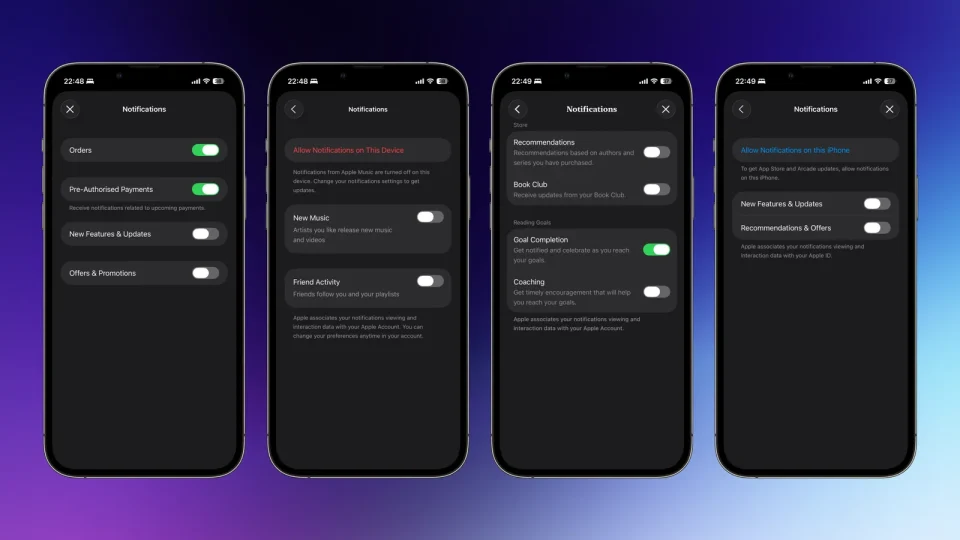
Apple has rules meant to protect iPhone users from promotional advertising in push notifications and Live Activities, but some apps appear to be ignoring those rules and Apple does not seem to be enforcing them consistently.
The App Store guidelines allow apps to send push notifications for promotions or direct marketing only if users have “explicitly opted in to receive them via consent language displayed” in the app’s UI and if the app provides a way “for a user to opt out from receiving such messages.” The guidelines state in part: “Push Notifications should not be used for promotions or direct marketing purposes unless customers have explicitly opted in to receive them via consent language displayed in your app’s UI, and you provide a method in your app for a user to opt out from receiving such messages.”
iPhone notifications: rules vs. reality
Despite that wording, several examples show the rules are not always followed. On an iPhone in Canada, some apps send push notifications containing promotions without offering a way to opt out of promotion-specific notifications; the apps named include Cineplex, McDonald’s and Wendy’s. The Canadian food-delivery app Skip does include a setting to turn off promotional notifications, but sources say it continued to send promotional messages long after users opted out.
A Twitter user asked others on November 25, 2026 to report iOS apps that ignore promo notification settings, citing @SkipCanada as an example of promo notifications continuing after the in-app option was turned off.
Examples of apps and Live Activities issues
Some readers reported that after they disabled DoorDash notifications for offers specifically, placing a delivery order triggers a prompt asking users to re-enable notifications so they “never miss an order update,” even though notifications for order updates remain enabled. The wording of that prompt can lead users to re-enable offers notifications.
Multiple readers also flagged the AliExpress app for showing advertising in Live Activities. That practice conflicts with Apple’s app design guidance, which under “best practices” says “don’t use a Live Activity to display ads or promotions.” App Store rules additionally say apps should not send users “unsolicited messages” via Live Activities.
Social posts captured by observers include a November 22, 2026 tweet noting unexpected advertising inside a Live Activity and other tweets expressing surprise at push ads.
Apple’s own App Store messages and opt-out
Apple itself recently sent an App Store notification advertising a Paramount+ subscription deal. The App Store provides an opt-out: open the App Store, tap your profile in the top-right corner, tap Notifications, and turn off “Recommendations & Offers.” It is not clear whether Apple obtained explicit consent from users before sending that notification, and the App Store is a preinstalled app that technically is not subject to the same App Store rules Apple enforces for third-party apps.
All in all, the examples collected suggest Apple needs to do more to enforce its rules around advertising in push notifications and Live Activities.
