

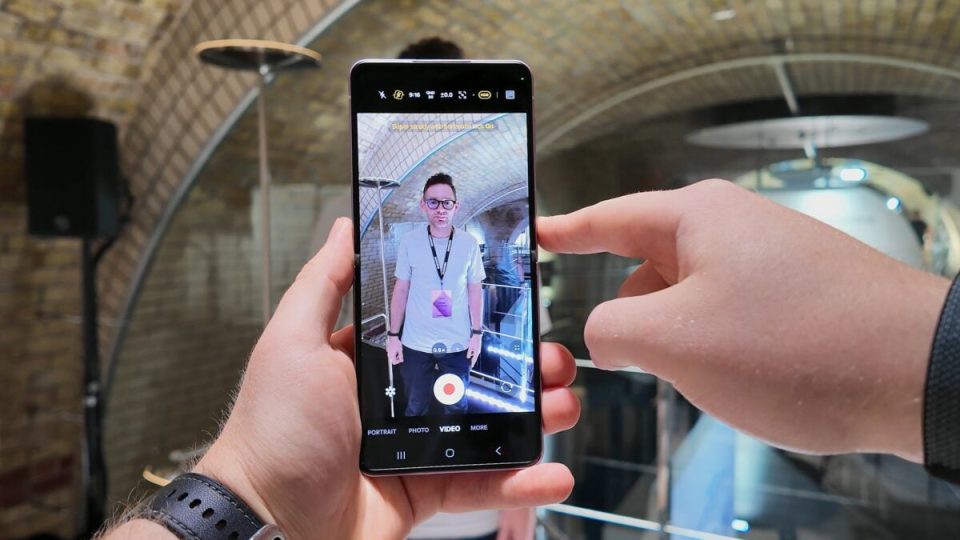
Samsung expands Super Steady with Horizontal Lock — the video stabilization feature introduced with the Galaxy S26 series — to the Galaxy Z Fold 8, Galaxy Z Fold 8 Ultra and Galaxy Z Flip 8. The option keeps the horizon perfectly level even when you rotate the device while recording.
Super Steady with Horizontal Lock: what it does
Super Steady with Horizontal Lock is a variant of Super Steady that corrects image tilt in real time to maintain a stable horizon line. First seen on the Galaxy S26 lineup, the feature compensates for device rotation so videos don’t appear to tip or skew when you change orientation.
How to enable Super Steady with Horizontal Lock
To use Super Steady with Horizontal Lock on a Galaxy Z Fold 8, Z Fold 8 Ultra or Z Flip 8:
– Open the Camera app.
– Switch to Video mode.
– Tap the running-person icon to enable Super Steady.
– Then select the Super Steady with Horizontal Lock option.
Supported devices and availability
Originally introduced on the Galaxy S26 series, the feature is now available on the three foldable models mentioned: Galaxy Z Fold 8, Galaxy Z Fold 8 Ultra and Galaxy Z Flip 8. By bringing Super Steady with Horizontal Lock to its foldables, Samsung makes it easier to capture smoother, more natural-looking video when filming on the move or rotating the device, without distorting the scene’s horizon.
