

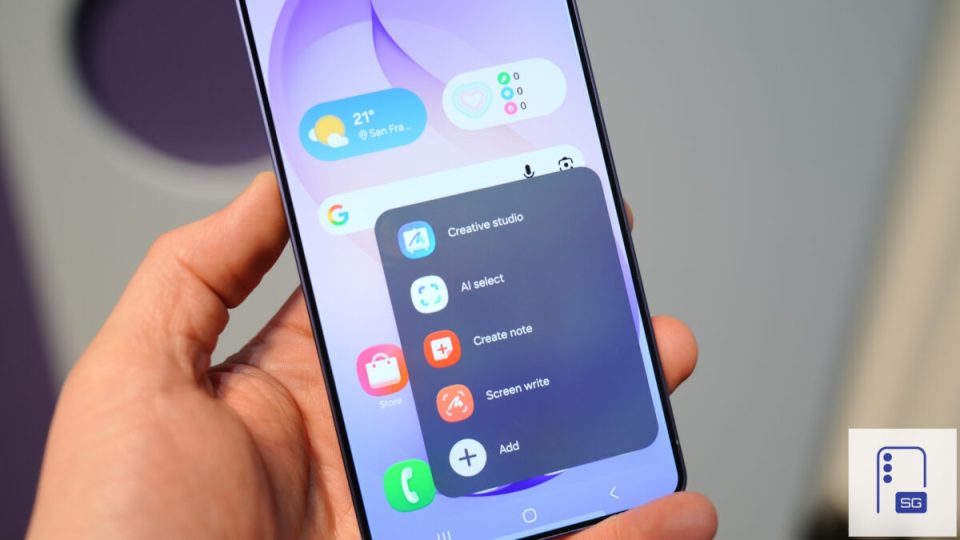
One UI 9 delivers Android 17 and a range of interface and feature updates to the Galaxy S26, S26+ and S26 Ultra, with new Galaxy AI tools, extra customization options and several device-management additions. The S26 series originally shipped with One UI 8.5, so some items covered in One UI 9 were already present on these phones, while others are newly available.
One UI 9 and Galaxy AI on the S26 series
One UI 9 adds multiple Galaxy AI features to the S26 lineup. Call Brief displays relevant information on the call screen — for example, country and local time when calling someone overseas — although the phone shows cards only when it finds the information relevant. My FanCam creates a cropped version of an existing video that follows a selected person: open a video in Gallery, move to a point where the person is clearly visible, tap the Galaxy AI icon, choose My FanCam, pick the person, orientation and aspect ratio, then tap Follow; you can save the result as a copy while keeping the original. Now Brief gains custom cards: you can create up to three cards using weather, health or video information, select when they should appear, and preview how they will look before saving. Examples include a weather card combining forecast, rain chances, wind and sunrise/sunset times, or a health card showing Energy Score, sleep, steps and recent activity.
Quick Panel and interface tweaks
The Quick Panel sees visual and sizing adjustments: brightness and volume controls appear slightly chunkier, and One UI 9 provides more options to resize them and the media player. You can also separate the sound mode button from the volume slider. Users of Good Lock’s QuickStar module may find some of these options familiar, but the built-in changes let anyone customize the Quick Panel without additional apps.
Warranty, diagnostics and support in one place
A new Warranty and care section in Settings consolidates warranty information, diagnostics, repair requests and remote support. It can display warranty details for other Galaxy devices linked to the same Samsung account, and it lets you run diagnostics or ask Bixby for help from the same menu. Repair and remote support options are included, though the specific services available can vary by market. On the Galaxy S26 Ultra the menu required a search to locate under Settings.
Bixby widgets, camera layouts and Dual Recording
One UI 9 adds home screen Bixby widgets in three sizes that provide quick access to voice and text input and allow expansion to view previous conversations; to add them, pinch the home screen, open Widgets and select Bixby. Camera changes are limited: Dual Recording gains a new horizontal or vertical split-layout choice to arrange the two camera feeds when recording a scene and your reaction together. Dual Recording itself continues to capture two feeds simultaneously, saving them together or as separate synchronized files for later editing.
Driving Report, DeX improvements and desktop management
Driving Report appears under Settings > Connected devices and uses location plus a Bluetooth connection to your car to analyze journeys and provide information about driving habits; once configured it can record driving information automatically. Samsung DeX gains easier desktop management: you can move an app window to another desktop using the window menu, desktop previews appear at the top of the Recents screen for one-tap switching, and a DeX setting can automatically hide the status bar and taskbar to free up screen space.
Good Lock gestures and Samsung Health updates
Good Lock’s Home Up module adds multi-finger gestures that let you assign actions to gestures performed with a chosen number of fingers — for example, a pinch-out to launch AI Select or a multi-finger long press to open the Quick Panel. Home Up also lets you adjust gesture recognition (including swipe distance), choose vibration or a glow effect for feedback, and disable gestures while the keyboard is displayed; these shortcuts require the Home Up module to be active. Samsung Health receives a redesigned interface, improved charts and more control over its home screen content, although those changes began arriving via a Samsung Health app update before the stable One UI 9 release and may already be present. Accessibility improvements include Text spotlight for enlarging selected text and Select to speak for reading on-screen content aloud without enabling full TalkBack.
