

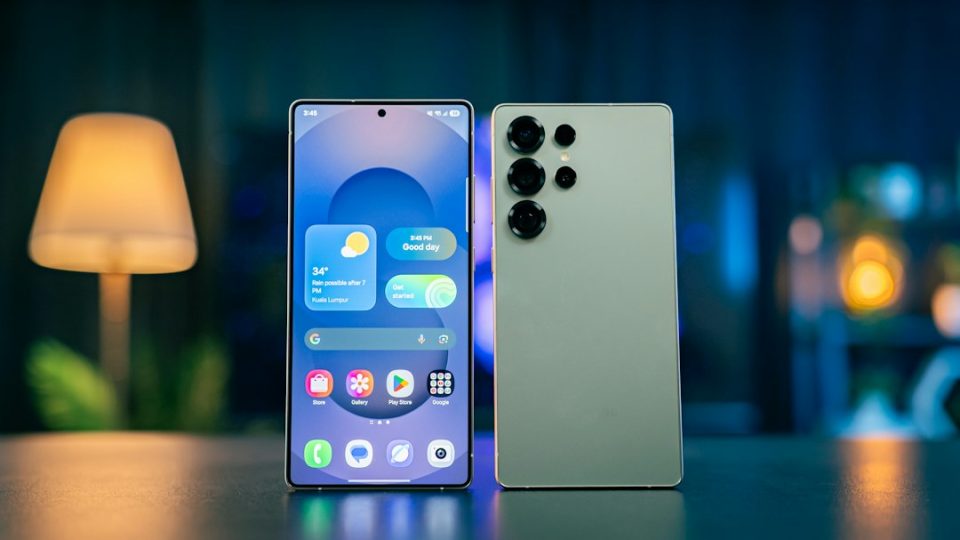
Samsung began rolling out the stable One UI 9 update for the Galaxy S26 series in Korea on September 16, with a wider rollout starting September 21 and the Galaxy S25 series scheduled to follow from September 28 in some markets. One UI 9 includes visual changes, AI improvements and several new features; here are five additions worth trying first.
Put Finder on the home screen
One UI 9 can place Samsung Finder at the bottom of the home screen so you don’t need to open the app drawer to search. Pinch the home screen, tap Settings and select Show search on Home screen. You can enable Samsung Finder, Google Search or both independently. Google Search gives quick access to the web, while Finder searches content stored on the phone, including apps, contacts, settings, files and Samsung Calendar entries. When both are enabled they appear as separate bars; disabling both restores the standard home screen page indicator.
Customize the Quick Panel in One UI 9
One UI 9 offers broad control over the Quick Panel layout. Swipe down from the top-right corner to open the full Quick Panel, then tap the pencil-shaped edit button to move buttons and widgets, remove controls you rarely use and place frequently accessed options within reach. Samsung also lets you switch the brightness and volume sliders between horizontal and vertical orientations, and you can resize the brightness slider, the volume slider and the media player. Finding your ideal arrangement may require some experimentation, but the options let you put key controls exactly where you want them.
Give someone their own FanCam
My FanCam creates a new version of a recorded video that follows a single person through the clip. It crops the video, follows the selected person as they move and adjusts framing to keep them near the center — useful for concerts, sporting events, school performances and similar situations. To use it, open a video in the Gallery app, tap the Galaxy AI button and select My FanCam. After the phone analyzes the recording, select the person you want to track, choose the orientation and aspect ratio, then tap Follow. If the phone cannot find anyone to track, use the seek bar to move to a part of the video where people are more clearly visible and try again. My FanCam works only with human subjects and is available on flagship devices going back to the Galaxy S24 series.
Create your own Now Brief cards
One UI 9 adds custom cards to Galaxy AI’s Now Brief so you can create up to three cards based on weather, health or videos and decide when they should appear. Samsung supplies suggested options, or you can enter your own prompt — for example, a card showing sleep and Energy Scores, weekly running activity or step count, or cards that recommend videos about a particular sport, player or subject. After entering a prompt, Now Brief checks it, generates a layout and provides a preview; you can then choose the days and times when the card should appear. Custom cards can be edited or deleted later, but Samsung limits how many times you can generate or modify them each day; if you hit that limit you must wait until the following day.
Try Motion Assist for motion sickness
Apple has offered Vehicle Motion Cues on iPhones, and Android 17 introduces an alternative called Motion Assist. Motion Assist displays moving shapes around the edges of the screen that react to the movement of your vehicle; these visual cues may reduce motion sickness when reading, browsing or using apps while traveling. Search for Motion Assist in the Settings app; you can have it activate automatically in a moving vehicle or add a button to the Quick Panel for manual control. The colors, shapes and visibility of the on-screen indicators can be customized.
These five features highlight some of the practical and AI-driven changes in One UI 9 as the update reaches devices in the coming days.
