

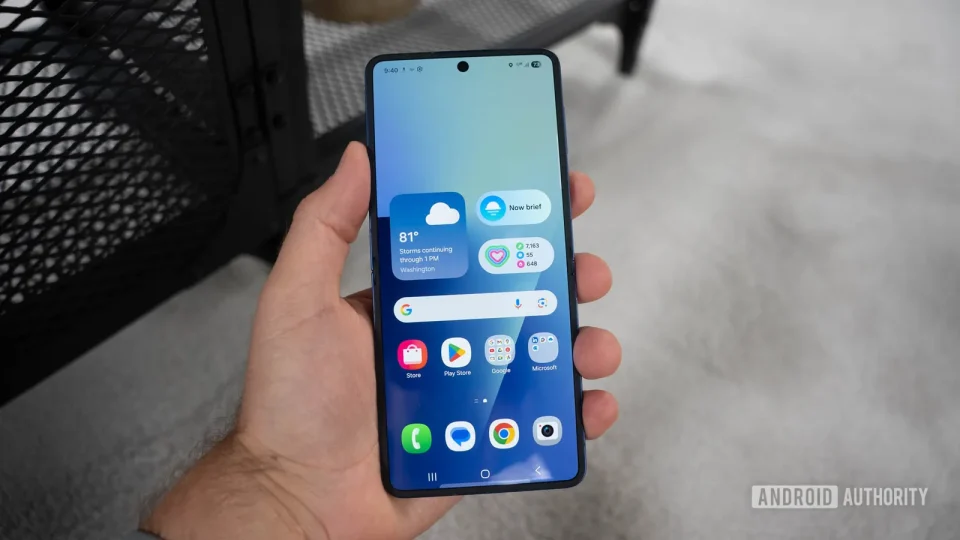
One UI 9 significantly changes the Galaxy Z Flip 8 experience by treating the cover screen more like the main display, making the foldable feel noticeably more refined even though the hardware changes from the Flip 7 are minor: the cover screen size remains the same, the overall footprint is similar, and Samsung focused on making the phone thinner and lighter.
One UI 9 transforms the cover screen
One UI 9 introduces a new home screen on the cover display that can unlock directly to a card containing Now Brief and five customizable favorite apps instead of leaving users on the unlocked lock screen. This behavior can be disabled so the phone goes straight to widgets, but the new home screen provides quick access to frequently used apps and information.
Notifications and the quick panel now work more like the main display: where notifications were previously accessed by swiping right on the cover screen, One UI 9 requires a swipe down to see notifications and a subsequent swipe left to reach the quick panel. The cover screen also gains a proper app drawer accessed by swiping up; apps that Samsung officially supports appear alongside apps enabled through the Labs menu in Settings > Advanced features. Installing the Good Lock app with its MultiStar module allows any app to run on the cover screen, and those apps will appear in the app drawer—apps not optimized for the cover display may not look perfect, but Samsung attempts to make them fit.
Multitasking controls arrive on the cover screen as well: users can swipe up and hold to view recently used apps and switch between them, mirroring the main display’s behavior and reducing the learning curve when moving between screens.
Widgets and app shortcuts
One UI 9 lets users add widgets directly from the cover screen, a task that previously required unfolding the phone. Samsung has expanded the widget selection to include additions such as Bixby and Samsung Internet. App shortcuts are now more space-efficient: favorite apps can sit inside a smaller card instead of occupying a whole widget panel, and the five app shortcuts on the new home screen are customizable. These changes aim to make better use of the limited cover-screen space and cut down on how often users must open the phone to make simple changes.
Flip-specific camera features
One UI 9 adds camera features tailored to the Flip form factor. Dual Recording gains a vertical split option so the front and rear cameras can record simultaneously in a vertical layout; the two feeds can also be saved as separate files with their audio synchronized. Horizontal Lock, previously introduced on Galaxy S flagships, is supported on the Flip 8 and can work with FlexCam: with the phone partially folded, the preview can occupy one half of the display and camera controls the other while Horizontal Lock keeps footage level.
Mirror View in Camera Assistant uses the closed phone’s cover display and camera as a digital compact mirror. While Mirror View is active you cannot take regular photos or switch to other camera modes, but you can enable a ring light to illuminate your face and capture a temporary snapshot for a closer look.
One UI 9 also brings broader additions such as Galaxy AI features like My FanCam and custom Now Brief cards, but the Flip-focused changes—especially those centered on the cover screen—stand out most. Samsung did not substantially alter the Flip 8 hardware this year, yet One UI 9 demonstrates significant room for improving how that hardware is used.
