

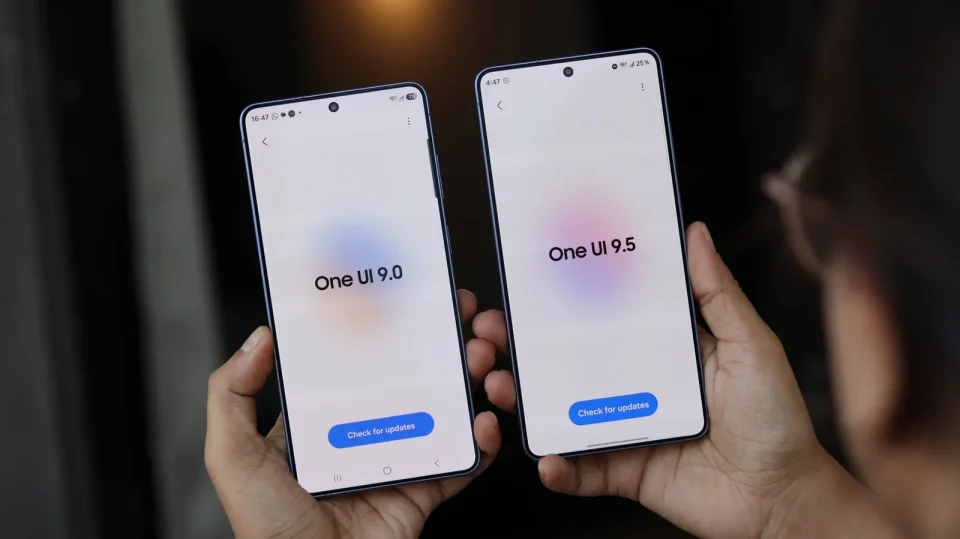
Samsung’s One UI 9.5 beta arrived earlier than last year’s mid-cycle update and introduces a series of visual refinements, new privacy and app controls, camera and DeX improvements, and several app-level changes compared with One UI 9.
One UI 9.5: interface and search updates
One UI 9.5 renames the app-drawer search field to Finder to match the home-screen search bar, and the home-screen search now expands into the search interface with a smoother animation. The Quick Panel editor gains a search field when you choose Add a control, reducing the need to scroll. Samsung also moves search buttons to the bottom in many first-party apps such as Phone, Notes, and Calendar to make them easier to reach one-handed.
App Lock, Privacy Display and notifications
One UI 9.5 adds App Lock, letting users lock individual apps without using Secure Folder: long-press an app icon, tap the padlock and confirm. Locked apps hide notification content and have their home-screen widgets removed until the lock is disabled. On the Galaxy S26 Ultra, App Lock can trigger Privacy Display automatically when a locked app opens; One UI 9.5 also adds conditions for secure features to activate Privacy Display, including Samsung Browser’s Secret mode, private Gallery albums and locked Samsung Notes. Protection applies to the notification panel and Recents previews while a locked app is active; these Privacy Display improvements require the S26 Ultra’s hardware.
Biometrics, unlock animations and Auto Blocker
Biometric authentication now combines face and fingerprint into a single pop-up so the phone can begin scanning the face immediately while keeping fingerprint authentication available. Unlocking transitions use a more gradual scaling animation, and fingerprint registration shows a new animated effect around the sensor; face-registration screens have also been refreshed. One UI 9.5 prevents Auto Blocker from being turned off during an active voice call, making the option available again only after the call ends.
Camera: controls, 24MP and Pro presets
The Camera app’s quick-controls button opens a larger, less crowded panel in One UI 9.5 with bigger tap targets. On the Galaxy S26 series, 24MP is now a built-in Photo mode option without requiring Camera Assistant. Pro and Pro Video gain built-in presets (previously in Camera Assistant) that save combinations of settings such as shutter speed, ISO, exposure, focus and white balance; presets can be edited or shared. Two customizable buttons beside the shutter provide quick access to functions like exposure lock, metering, histogram, focus peaking and Smooth zoom. Lens and zoom readouts can appear as focal lengths (for example 23mm and 115mm).
DeX: a more complete desktop and easier window arrangement
DeX receives a reworked layout: navigation moves to the bottom right, and status, screenshots, notifications and Quick panel move to the top right. The Quick panel in DeX exposes the phone’s fuller set of quick controls and can be expanded to reveal more toggles. Time and date at the top left open a calendar, and DeX settings now include separate toggles to auto-hide the status bar and taskbar. Window management adds more snap positions (including four corners), hovering over the maximize button reveals additional arrangements, and automatic arrangement can organize apps into two, three or four windows. Moving an app to another virtual desktop remains supported.
Digital Wellbeing, Samsung Health and other app changes
Digital Wellbeing adds a Pause before app launch toggle that introduces a ten-second wait before an affected app opens. Samsung Health gains Mindful note, a journaling feature with prompts, photo attachments, mood recording and options to tag factors like sleep or work; entries are organized by date and can trigger suggested breathing exercises. Samsung Health also lets users rearrange cards within Activity, Sleep, Vitals, Mindfulness and Nutrition tabs, and the Medications tracker is being expanded to more markets.
Lock screen, Now Bar, Now Brief and file handling
A new Live effect option in the lock-screen editor makes wallpaper elements shift with phone movement rather than playing a moving video. Now Bar adds downloadable sports Moment effects for selected Google Sports-covered moments, while Now Brief loses Audio Brief and Moments in One UI 9.5. My Files can now display Word documents and PowerPoint presentations in a built-in viewer (with an option to open them in another app) and offers deletion options for uncategorized and in-use files under the Other storage category.
Sharing, connectivity and minor improvements
Quick Share on the Galaxy S26 beta includes Tap to Share, allowing file transfers by bringing compatible phones together (both unlocked, with NFC, Bluetooth and Wi‑Fi enabled). Intelligent Wi‑Fi gains an option that lets selected messaging apps such as WhatsApp and Messenger use more mobile data to maintain call and message quality when Wi‑Fi is poor; this appears for apps installed inside Secure Folder as well. Additional tweaks include larger camera quick controls, refreshed biometric setup screens and several UI refinements across stock apps.
Overall, One UI 9.5 focuses on smoother animations, easier one-handed reach for search and controls, stronger privacy and app-lock options, a more desktop-like DeX, and deeper integration of previously optional camera and app features introduced in Camera Assistant and other utilities.
