

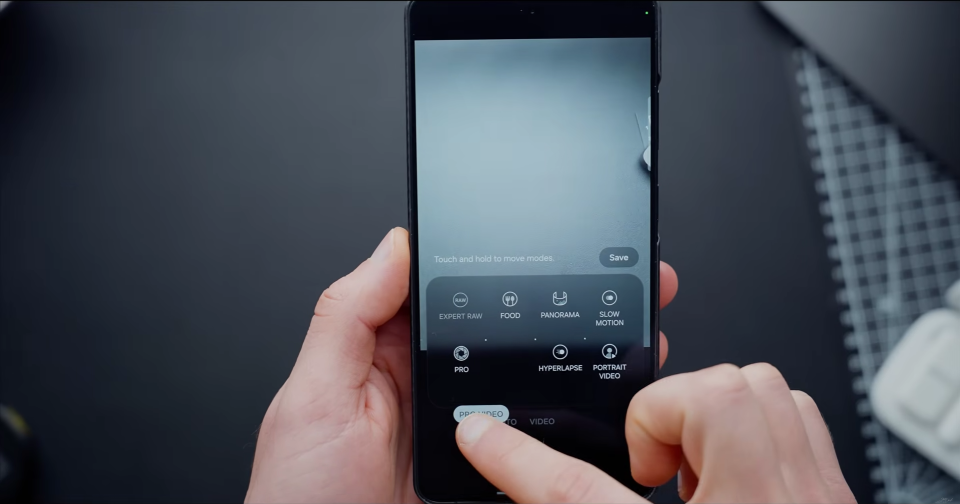
The Samsung Galaxy S26 Ultra boasts one of the most advanced camera systems in the smartphone market, featuring a variety of shooting modes that extend beyond the standard Photo and Video settings. Additional modes can be downloaded for free from the Galaxy Store, enhancing the device’s photographic capabilities.
Key modes to explore include Super Steady with Horizontal Lock, which offers advanced stabilization to keep video footage level even when the device is tilted. Pro mode allows manual control over ISO, shutter speed, white balance, and RAW capture, perfect for photographers seeking precision. Video mode integrates Nightography for automatic low-light optimization, providing clearer footage in dim conditions.
Pro Video mode extends manual video controls, supports log recording for post-production color grading, and offers high frame rate options. The Expert RAW app, available from the Galaxy Store, enables multi-frame RAW capture and features like astrophotography and Virtual Reflector, which simulates professional lighting.
Portrait mode uses depth detection for background blur, with telephoto lenses providing flattering results for portraits. Slow motion mode captures high frame rate video for smooth playback, ideal for dynamic subjects. Lastly, Single Take and Dual Rec, accessible through the Camera Assistant app, offer creative shooting options by capturing multiple shots or recording from both front and rear cameras simultaneously.
