

Windows Defender is triggering false “Turn on virus protection” alerts on Windows 11 and other supported Windows releases. Microsoft says the warnings are incorrect and that Defender continues to function, but a fix has not yet been released.
Microsoft response
Microsoft acknowledged the issue in a support update, saying: “After installing the latest updates for Microsoft Defender Antivirus, notifications might appear stating that ‘Microsoft Defender Antivirus is turned off,’ even though the antivirus is functioning correctly and all settings show it as active.” Microsoft did not specify which Defender update or version is causing the false alerts and said it is “working to release a resolution in a future Microsoft Defender Antivirus update”.
How to check if Windows Defender is running
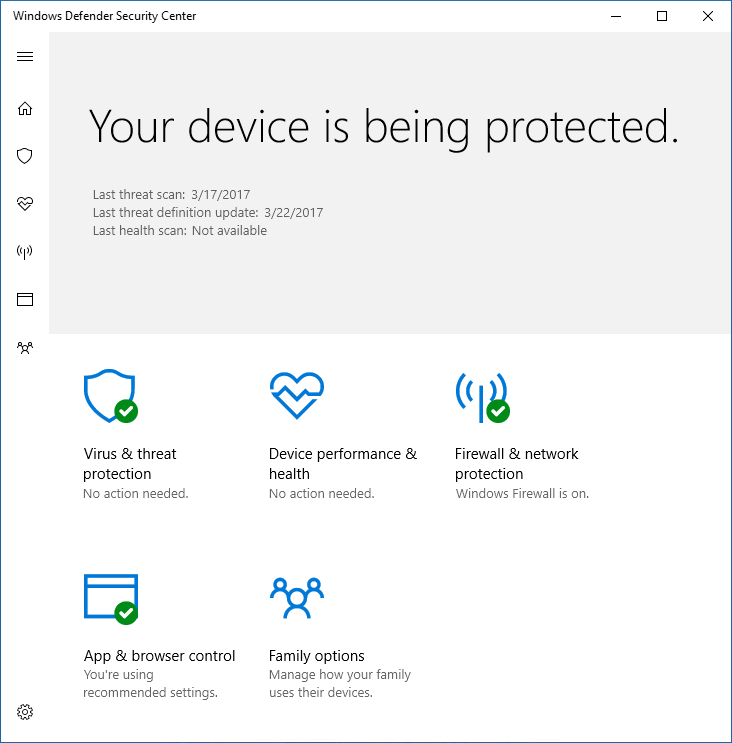
Do not assume the alert reflects an actual problem. Verify Defender is active by opening Windows Security and selecting Virus & threat protection; if Defender is working you will not see any active security warnings there. Under Virus & threat protection settings, click Manage settings and confirm Real-time protection is turned on. The OneDrive prompt that appears in Security can be safely ignored as an upsell.
You can also check from the command line. To confirm the Defender service is running, run:
sc query WinDefend
If Microsoft Defender Antivirus is running, you should see:
STATE : 4 RUNNING
To verify Defender and its real-time protection status, run:
powershell -command “Get-MpComputerStatus | Select-Object AntivirusEnabled,RealTimeProtectionEnabled,AMServiceEnabled”
On a normally protected PC the output should show:
AntivirusEnabled : True
RealTimeProtectionEnabled : True
AMServiceEnabled : True
These commands can be run without launching Terminal as an administrator. If all three values are True, Windows Defender Antivirus and its real-time protection are active even when Windows incorrectly displays the “Turn on virus protection” notification.
Scope and behaviour
The false alerts have been observed since early August and reports increased recently, which prompted Microsoft to investigate; a Microsoft engineer, Jen Gentleman, confirmed the company was looking into the issue about two weeks ago. The problem is tied to a Microsoft Defender Antivirus update and can affect any version of Windows or Windows Server that receives Defender updates and where Defender is not paused. Reported affected releases include 23H2, 24H2, 25H2 and Windows 10. Windows 7 is not affected because Defender updates are no longer released for it.
The “Turn on virus protection” alert can reappear repeatedly, bypasses Windows Notifications settings and is not suppressed by system-wide notification disabling or Do Not Disturb. Clicking the alert does not change Defender’s status; it simply opens the Home tab of Windows Security. Microsoft says it is working on a resolution but has not yet provided a fix.
Other recent, separate Windows issues acknowledged by Microsoft include a bug affecting the cursor after an update and reports of wallpapers being reset.
Verify Defender before dismissing the alert rather than assuming it is a harmless mistake.
