

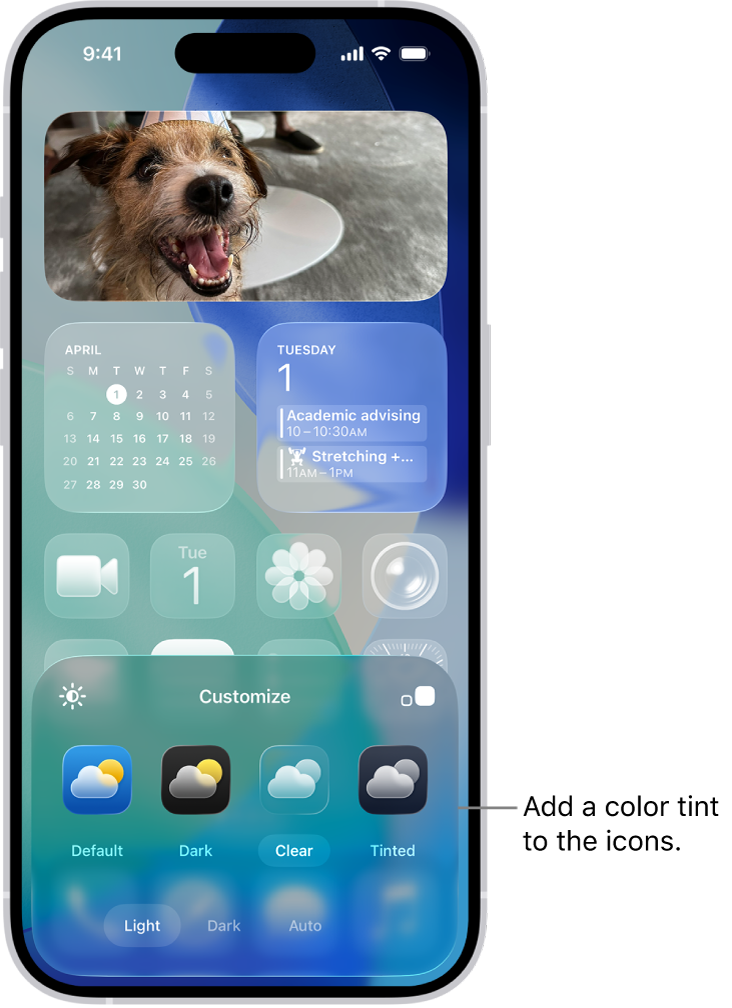
iOS 27 is now in public beta, and while attention understandably centers on Siri and Apple Intelligence, the update hides a string of practical refinements that change everyday use. Here are the non‑AI features that stood out to me — useful, understated, and often requested for a long time.
iOS 27: a beta that improves the experience without AI
Apple is pushing AI front and center, but iOS 27 also delivers concrete tweaks to core apps. These adjustments — spanning audio, widgets, photo sharing and system ergonomics — are immediately noticeable in everyday use.
Audio and multimedia rethought
Music’s AutoMix gets smoother, more immersive transitions than in iOS 26, making track-to-track flow feel more natural. On the lock screen, the Now Playing widget can now be dismissed with a swipe, cleaning up the interface when you’re not actively listening. CarPlay gains an audio scrubber, letting you skip directly to a specific point in a song or podcast from the car display.
Photos and full‑resolution sharing
iCloud Shared Albums now supports full‑resolution photo and video sharing — a big win if you want to send originals without compression. Photos also lets you save a precisely framed video still as a photo, so you no longer need to rely on screenshots to capture an exact frame.
More control over sound, widgets and display
Alarm volume is now independent from ringtone volume — adjust it in Settings > Sounds & Haptics so alarms don’t change your phone’s ringtone level. The Home Screen gets a new extra‑large widget size, offering full‑bleed presentations for Music, Photos, Weather and Calendar that make better use of modern iPhone displays. Additionally, iOS 27 lets you move the lock‑screen clock up into the top widget row so it no longer obscures your wallpaper.
Improved ergonomics and wider landscape support
The update expands landscape mode support across more apps, which is handy if you keep your iPhone docked horizontally: Music, Reminders, Weather and others now render interfaces optimized for landscape, making the device more versatile on a desk or bedside table.
Smoother payments, location and clipboard workflows
Apple Pay’s checkout flow has been redesigned to make switching cards during purchase easier. Find My has a refreshed interface with more flexible sharing options and, importantly, more precise location data visible at a glance without needing to open each contact card. And a small but practical tweak: when you copy content, iOS 27 shows a “Paste” shortcut above the keyboard in the next text field, speeding up pasting between apps.
