

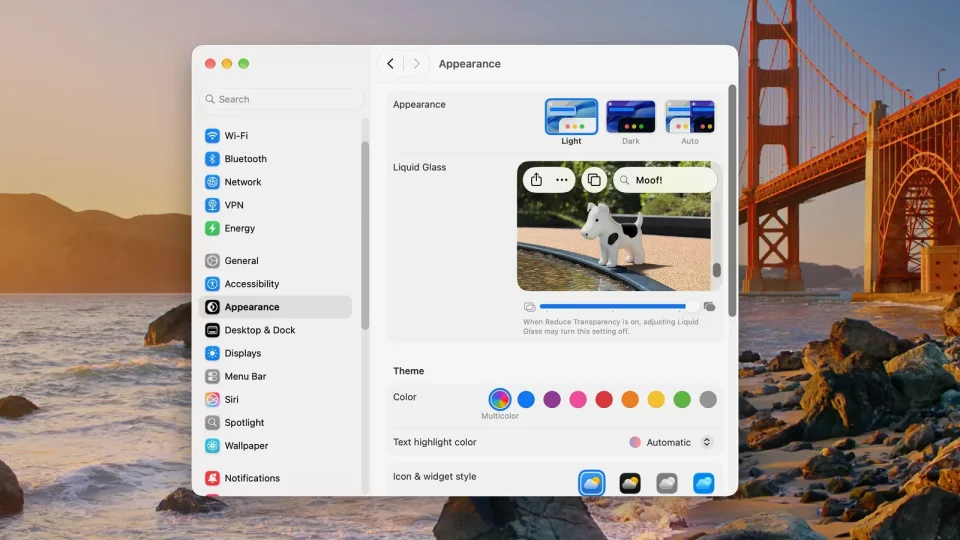
If you’ve installed iOS 27 on your iPhone or iPadOS 27 on your iPad (download it via Settings ➝ General ➝ Software Update), Apple has tucked a small easter egg into Settings: the dogcow Clarus. To reveal it, open the Settings app, then go to Appearance ➝ Liquid Glass and scroll to the bottom of the “Welcome to Apple Park” sample images.
When you reach the last sample image, keep dragging up with your finger until the word “Moof!” appears in the search-bar overlay and the image changes — that change is Clarus, the familiar dogcow bitmap.
Clarus began as a bitmap used in classic Mac OS to demonstrate page layout and indicate paper orientation for printing. The original glyph that inspired the image was created by Susan Kare for the Cairo dingbat font bundled with the original Macintosh in 1984. Over time, Clarus became the official mascot of Apple’s Developer Technical Support.
Why the dogcow still appears
Apple developers frequently included playful Easter eggs in early Mac software; today such surprises are rarer and more subtle. The Clarus appearance in iOS 27 reads as a nod to those origins rather than an edgy or unauthorized addition, and several similar, discreet Easter eggs have been discovered in macOS over the years.
