

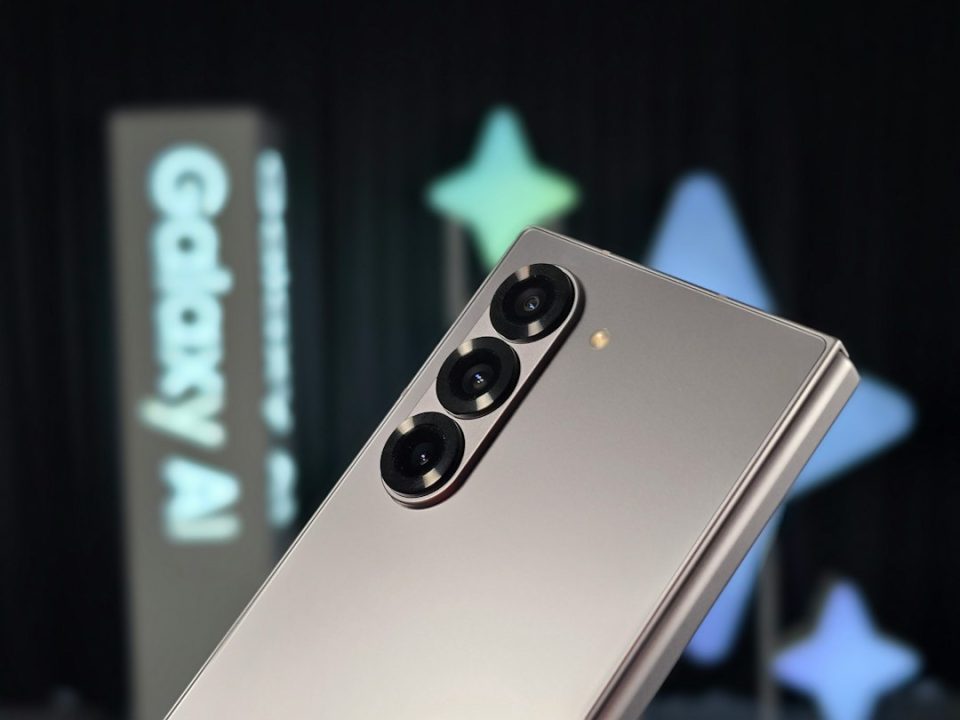
The Samsung Galaxy Z Fold8 Ultra combines high-resolution cameras and 8K recording with a folding design that expands how you frame, shoot and record—making it worth considering if photography is a major use case for your phone.
Key camera specifications
The rear system pairs a 200 MP wide sensor (F1.7) with Quad Pixel autofocus, optical image stabilisation and a 2x “optical quality” zoom (a central crop from the 200 MP sensor). The rear ultra-wide is 50 MP, F1.9, with Quad Pixel autofocus and a 120° field of view. The rear telephoto is 10 MP, F2.4, with OIS and 3x optical zoom. Both the cover screen and main inner screen each use a 10 MP, F2.2 camera; the main screen lens offers a 100° field of view. Video recording is supported up to 8K at 30 fps on the wide and ultra-wide lenses, and up to 4K at 60 fps on the other cameras.
Cover Screen Preview and framing
Cover Screen Preview shows a live feed on the outer display when you point the rear cameras at a subject, letting the person in front of the lens adjust pose and expression before the shutter fires. The feature is intended to reduce repeat attempts for group shots and works well with children who engage longer when they can see themselves. When using the rear cameras for selfies, the live preview appears on the cover screen while the higher-resolution rear sensor captures the image.
Selfie options
The Fold8 Ultra offers three selfie workflows: the quick 10 MP cover-screen camera without unfolding; the 10 MP main screen camera (100° FOV) inside the opened device for group selfies and video calls; or using the rear cameras for the best-quality selfies—viewing the shot on the cover screen while capturing with the 200 MP wide lens. Both dedicated front cameras pass through an AI image signal processor tuned for skin tones and hair textures. Front-facing video records up to 4K at 60 fps.
Hands-free shooting and controls
Partially folding the phone and resting it on a flat surface gives a stable hands-free setup without a tripod, useful for self-recording, low-angle photos or joining group shots. Voice commands (enable under Camera settings → Shooting methods) accept “Smile”, “Cheese”, “Capture” or “Shoot” for photos and “Record video” to start filming. Showing an open hand triggers a countdown timer. A Floating Shutter button can be dragged anywhere on-screen for awkward angles. You can start a timed shot, join the group and have the phone capture the image.Zoom modes and how they work
Photo-mode zoom options include 0.6x (ultra-wide), 1x, 2x, 3x, 10x, 20x and 30x. The 2x setting is an optical-quality crop from the centre of the 200 MP sensor; the 3x setting uses the dedicated telephoto lens for true optical zoom. Beyond 3x the phone uses digital zoom, with 30x useful for distant details such as reading a sign.
Video features and professional workflows
The Fold8 Ultra records 8K at 30 fps with both its main and ultra-wide cameras; the upgraded ultra-wide adds 8K recording compared with the previous model. Video size options include 8K, UHD (4K), FHD and HD; UHD and FHD offer 60 or 30 fps. Advanced Professional Video (APV) can be enabled in Camera settings and controlled from the Video viewfinder; APV footage retains clarity through multiple edits. At FHD 30 fps, APV uses about 1.5 GB per minute at the higher-quality profile and about 0.75 GB per minute at the lower setting. Super Steady offers stabilization with three modes—off, Super Steady, or Super Steady with Horizontal Lock (the latter keeps the frame level while moving). Horizontal Lock and Super Steady run on both wide and ultra-wide lenses up to QHD at 60 fps, cropping slightly to maintain a level horizon. My FanCam can create a new clip that follows a selected person in recorded video and lets you choose output aspect ratios (1:1, 3:4, 9:16, 2:3 or 3:5) for reframing.
Low-light performance
The wide 200 MP lens (F1.7) and the 50 MP ultra-wide (F1.9) admit more light for dim environments; the wider ultra-wide aperture is a noted hardware improvement over the prior model. The ProVisual Engine reduces noise using sensor-specific processing, and Samsung’s Nightography processing aims to retain colour and detail in low light across stills and video. Auto FPS can automatically lower frame rate to record brighter footage as light drops; it can be disabled or limited to 30 fps or enabled for both 30 and 60 fps.
Camera Assistant and custom settings
Camera Assistant (access via Camera app → Quick controls → Settings → Camera Assistant) lets you adjust camera behaviour. Options include Quick tap shutter (fires on touch down), Auto lens switching (phone picks the best lens by light/distance/zoom), a 24 MP resolution option in Photo mode, Prioritise focus over speed (waits for focus before shooting), Photo softening (reduces artificial sharpening for more natural skin), and a dedicated 2x crop zoom shortcut.
Spatial audio recording
With compatible Galaxy Buds, 360 Audio Recording captures three-dimensional sound by recording with the earbuds in tandem with the phone’s microphones. To enable: connect Galaxy Buds, open Camera → Quick controls → Settings → Audio options under Videos → turn on 360 audio recording. Enabling this feature automatically turns off the standard Zoom-in mic function.
Comparison with the Fold7
The Fold8 Ultra keeps the Fold7’s 200 MP main-camera resolution and adds HDR support at 200 MP. The ultrawide is upgraded from 12 MP at F2.2 on the Fold7 to 50 MP at F1.9 on the Fold8 Ultra, increasing resolution, field of view (120°) and light intake. The 10 MP telephoto preserves the Fold7’s 3x optical zoom with OIS.
The Fold8 Ultra’s combination of high-resolution sensors, 8K video options, APV support and folding-specific shooting modes aims to give more framing flexibility—showing shots on the cover screen, enabling high-quality rear-camera selfies and offering stable hands-free setups—while retaining many technical advantages of its predecessor.
