

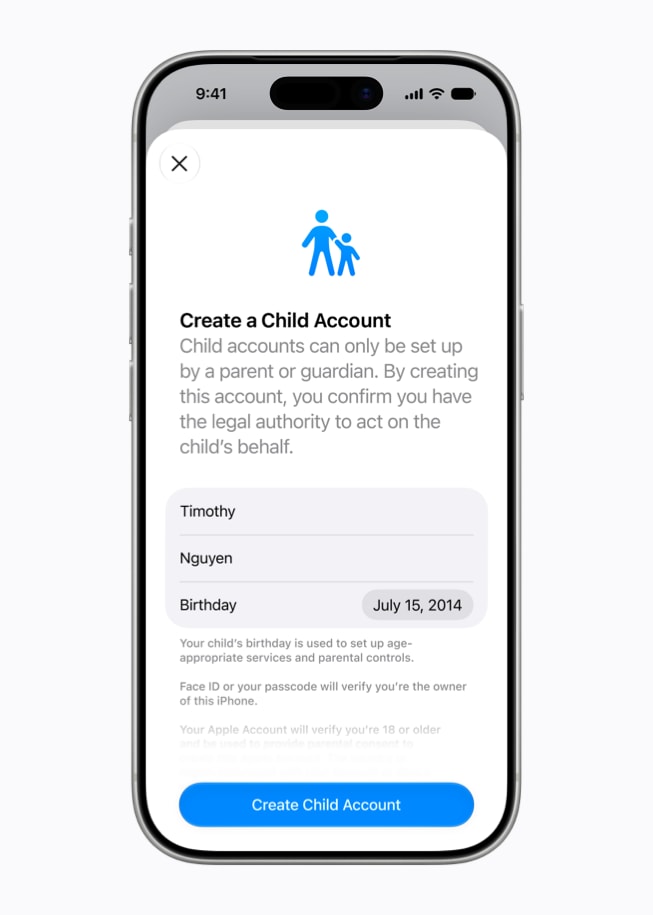
Apple shared a video promoting the new iOS 27 parental controls, highlighting easier Child Accounts, expanded communication and browsing controls, and detailed time-based limits for family devices.
iOS 27 parental controls: what’s new
The video presents several updates added in iOS 27. Child Accounts are said to be easier to set up and more intuitive to use. Improved controls let parents choose the types of apps children can access, while Ask to Buy allows kids to request new apps and games. Ask to Browse gives parents the ability to block or allow websites children visit in Safari, and parents can decide who children are allowed to call and message. Communication Safety in Messages and FaceTime is described as detecting and blocking both violence and nudity in images and videos. Time Allowances and Schedules let parents customize what children can access by day, hour, and activity, with specific options to limit apps during school hours. The update also includes one-tap controls to pause access entirely for family events like dinnertime or to allow unlimited screen time.
Regulatory context
Apple’s updated parental controls arrive as the company faces regulatory pressure over child safety in the UK, the U.S., and Australia. The UK has called for device-level controls to prevent children from viewing and sharing inappropriate images. In the U.S., the Kids Internet and Digital Safety Act is now in the Senate. Australia has already prohibited children under 16 from creating accounts on certain social media apps.
Apple’s new child safety features became available on September 14 with the launch of iOS 27, iPadOS 27, and macOS Golden Gate. Every device in a Family Sharing group needs to be running the latest software for the Screen Time update to work.
