

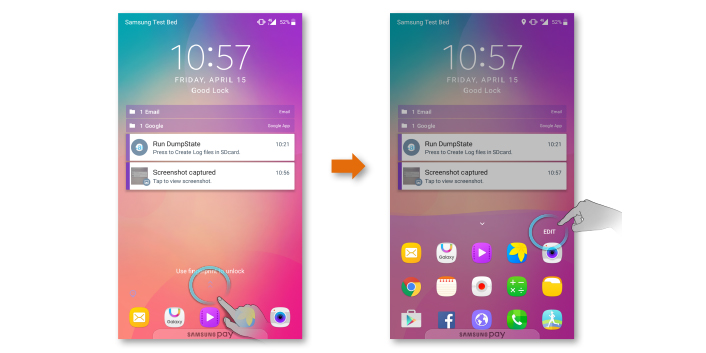
Samsung has rolled out a major update to Good Lock’s Home Up module for devices running One UI 9.0 (Android 17), bringing expanded customization and richer touch gestures. Version 18.0.0.24 is currently distributed via the Galaxy Store in South Korea and introduces a suite of options that reshape the dock, Edge panel visuals, and multi-finger interactions.
Availability and compatibility
The Home Up 18.0.0.24 update explicitly targets One UI 9.0 on Android 17. It is available now on the Galaxy Store in South Korea, suggesting a staged rollout to additional regions. The release confirms official support for Samsung’s latest One UI build.
Custom backgrounds for Edge Panel and Favorites (dock)
Home Up now lets users apply customized backgrounds to the Edge panel and the Favorites dock. Controls include blur and shadow effects, horizontal and vertical padding adjustments, and corner radius settings. The app ships with nine preset images and ten colors, and users can import their own visuals for tailored looks that better match their home screen.
Customizable multi-finger gestures
The standout addition is support for multi-finger gestures. Two-, three-, four- and five-finger swipes and pinches can be mapped to any of 27 available actions. Practical examples: trigger a screenshot with a three-finger swipe or return to the home screen with a five-finger pinch. This level of gesture mapping speeds access to frequent tasks and improves one-handed ergonomics for advanced users.
Other features and ergonomics
The update also adds a DIY auto-arrange option for the home screen and a “Sticker Action” feature to enhance interactions with visual elements. General optimizations and bug fixes have been applied based on user feedback to deliver a smoother, more consistent experience.
What this means for users
These enhancements strengthen system-level personalization without the need for third-party launchers. Background options for Edge and Favorites help unify the desktop aesthetic, while multi-finger gestures make common actions faster to perform. For power users, Home Up becomes an increasingly powerful tool to tailor One UI 9.0 to individual workflows.
The update underlines Samsung’s modular Good Lock strategy: small, focused modules that offer deep customization so users can sculpt their interface and interactions. Expect a wider regional rollout in the coming weeks.
