

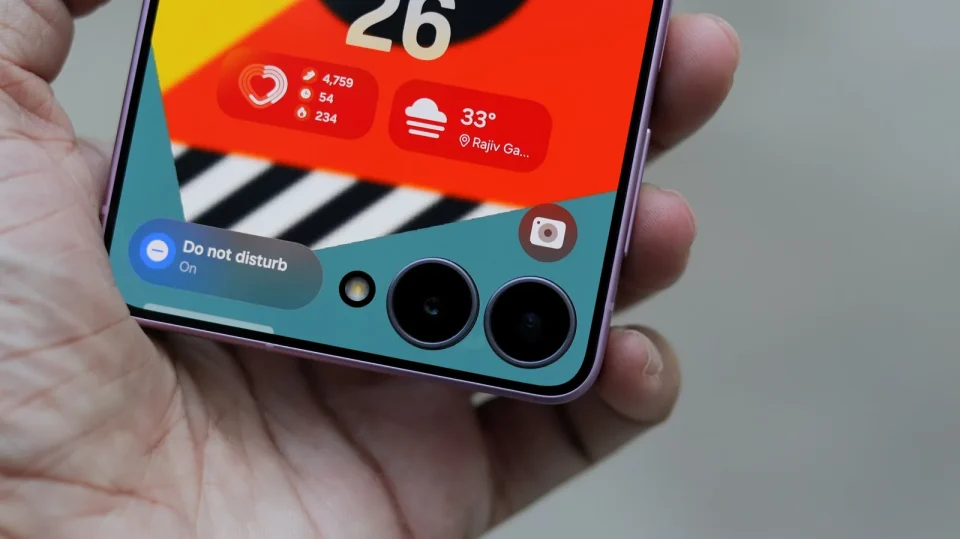
If you take a lot of selfies or group photos, the Galaxy Z Flip8 is worth considering: its folding design and cover-screen preview let you use the rear cameras for higher-quality selfies or set the phone down in Flex mode for hands-free photos and videos, and all three cameras can record up to 4K at 60 fps.
Camera specs at a glance
The Flip8’s cameras are: a 50 MP main rear camera, F1.8 with optical image stabilisation; a 12 MP ultrawide rear camera, F2.2 with a 123-degree field of view; and a 10 MP front camera, F2.2. These sensors cover everyday photos, wider scenes and front-facing selfies or video calls.
Galaxy Z Flip8 for selfies and cover-screen shooting
For higher-resolution selfies you can use the 50 MP main camera rather than the 10 MP front camera: open the camera app on the FlexWindow cover screen while the phone is folded to see a preview and choose the 50 MP option. Switch to the ultrawide when you need to fit more people or background into the frame. When the phone is open the dedicated front camera remains available; using the rear cameras for selfies is an additional option, not a required change to normal use.
Hands-free photos and videos
Partially unfold the Flip8 into Flex mode and set it on a flat surface with the rear cameras and cover screen facing you; the preview and controls stay on the cover screen. For photos you can enable Show palm under Camera settings → Shooting methods, then raise your palm to start the countdown, or enable Voice commands in the same menu and say ‘Smile’ or ‘Cheese’. For video, the cover screen shows the preview and saying ‘Record video’ with Voice commands enabled starts recording without touching the phone.
Everyday shooting and zoom
The main camera handles ordinary photos of people, food and places, with capture options at 12 MP or 50 MP; Samsung’s Camera Assistant app adds a 24 MP option. The Flip8 offers 2x optical-quality zoom (a crop from the main sensor), up to 10x total zoom in Photo mode, and a .6x setting for the ultrawide. Portrait mode lets you choose between 1x and 2x framing. Motion Photo saves a short moving sequence alongside a photo so you can pick an earlier frame when people or pets moved at the shutter moment. When shooting with the phone open, enable the Floating Shutter button under Camera settings → Shooting methods and drag it to a convenient spot on-screen.
Customisation: Camera Assistant, Mirror view and FlipShot
Camera Assistant adds options for the cover-screen camera and regular shooting controls. Mirror view (Camera Assistant → Mirror view) turns the cover-screen preview into a mirror-like view for checking your appearance. FlipShot replaces the usual cover-screen preview with a picture, animation or message; the first time you open Camera settings → FlipShot you’ll be prompted to install MultiStar from the Galaxy Store. FlipShot works with photos and videos and can be useful to attract a child’s attention by showing a favourite character or a funny face on the cover screen.
Video capabilities and stabilisation
The Galaxy Z Flip8 records 4K at 30 or 60 fps with both rear cameras and the front camera; the rear cameras also offer these formats when shooting from the cover screen. In Video mode you can switch between main and ultrawide or between rear and front cameras while recording so a single clip can show what you’re looking at and then your reaction. Auto framing adjusts zoom to keep a detected person in the picture and works at 4K or Full HD at 30 fps. For handheld footage, Super Steady reduces camera shake and its Horizontal Lock option helps keep the frame level; these stabilised modes use QHD or Full HD recording with the rear cameras. Note that Super Steady results may vary depending on editing method and/or shooting conditions. In Gallery, My FanCam can create a new clip that follows one person and let you select aspect ratio and portrait or landscape independently of the original; this feature requires a Samsung Account, may vary by video, is not supported if there is no subject to track, and accuracy is not guaranteed.Dual recording and multi-camera options
Open Camera on the inner screen and select Dual recording from the quick controls to record with a front and a rear camera simultaneously. Partially fold the phone and set it down; Dual recording saves Full HD video at 30 fps and offers split-screen or picture-in-picture layouts, letting you save one combined video or two separate files. Camera Assistant can also enable a dedicated Dual rec mode with additional camera-pairing choices, including recording with the main and ultrawide rear cameras together.
Low-light shooting
The Flip8 combines an F1.8 main camera with Nightography processing to help retain colour and detail in low light. The ProVisual Engine applies noise reduction automatically during video recording. The folding design helps too: rest a partially folded phone on a steady surface for longer exposures and set a short camera timer before pressing the shutter so the device can settle. For low-light video, Auto FPS can adjust the recording frame rate to help produce brighter footage.
If you mainly take selfies, group photos or hands-free videos of yourself, the Galaxy Z Flip8’s cover-screen preview, Flex mode setup and the option to use the 50 MP main camera make it a practical and flexible camera phone choice.
