

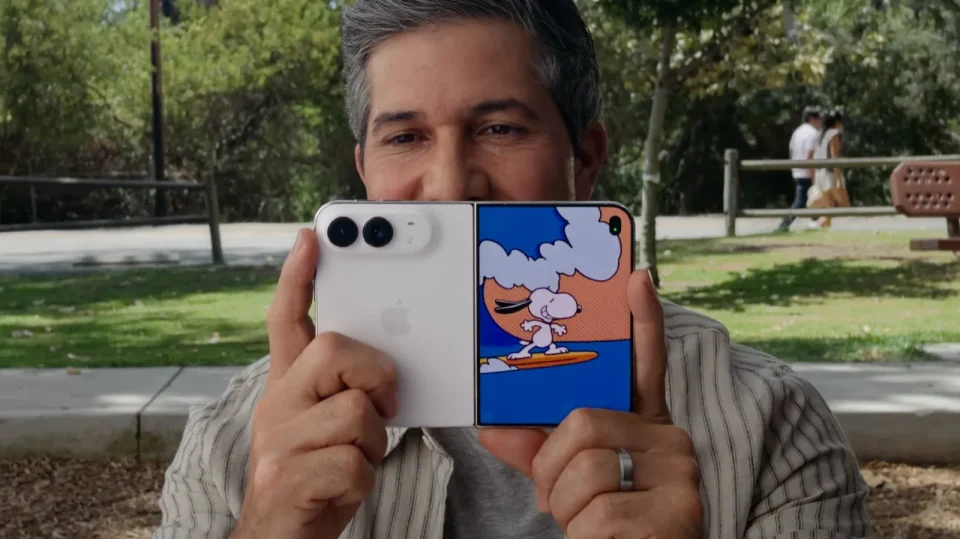
The iPhone Duo includes a Kid Cue feature that plays a Snoopy-themed animation on the outer display to draw a child’s or pet’s attention to the camera while you compose the shot on the inner display. Kid Cue is exclusive to iPhone Duo and follows a concept already used by Google’s Pixel 9 Pro Fold, which offers a similar ‘Made You Look’ mode.
How Kid Cue works on iPhone Duo
Unfold the iPhone Duo so you can see the inner display and open the Camera app. Tap the ‘Outer Display Options’ button (it looks like a column view icon) in the top-left corner, then tap ‘Kid Cue’. The outer display will play the Snoopy-themed animation to attract your subject. When ready, tap the shutter button to take a photo or the Record button to shoot video; you can also use either volume button or the Camera Control button to capture.
Because the iPhone Duo uses the main camera lens rather than a selfie camera for these shots, the subject will be looking slightly off to the side. That offset is a small trade-off for getting a restless child or pet to face toward the camera.
Duo Preview and other outer-display options
The same ‘Outer Display Options’ menu also offers ‘Duo Preview’, which shows your subject a mirrored live preview of the shot on the outer display instead of the animation.
