

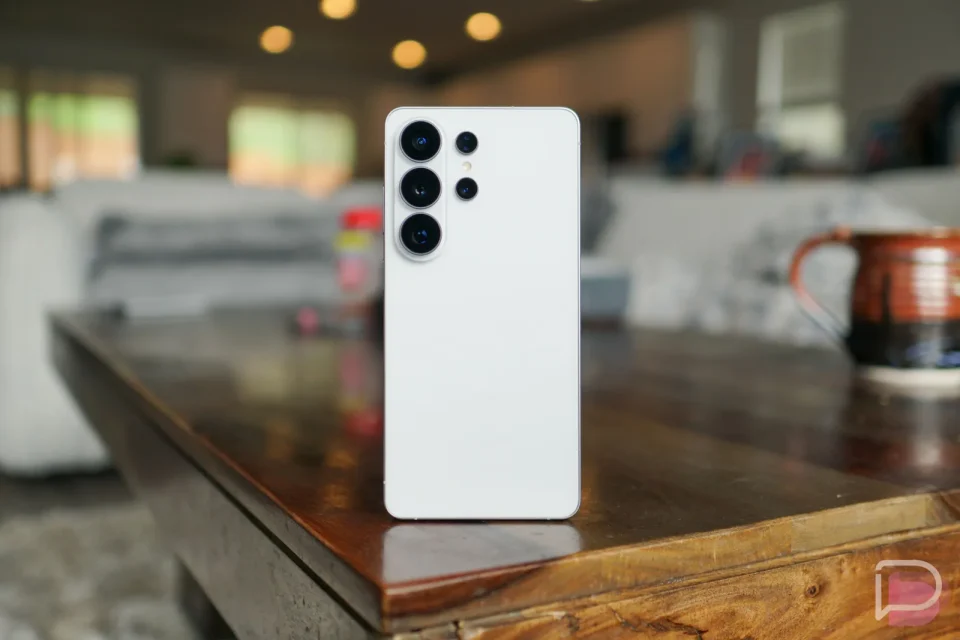
Samsung has largely completed the One UI 9 (Android 17) rollout to its top devices as of October 2026 and maintains a defined update cadence: monthly updates for current high-end models and a shift to quarterly updates in devices’ final year of support.
For years Samsung offered 4 years of OS updates and 5 years of security updates for its best phones; it has since expanded support to 7 years of both OS and security for the newest high-end lines. For most of those years Samsung delivers security patches monthly, switching to quarterly releases in a device’s final year of support.
One UI 9 rollout timeline
Samsung’s One UI 9 rollout and schedule updates recorded in October and earlier 2026 include the following milestones and build numbers:
– OCTOBER 23, 2006: Samsung has mostly wrapped up its One UI 9 and Android 17 rollout to its top devices. Today, the Galaxy Z Fold 5, Galaxy Z Flip 5, and Galaxy S23 series all received their updates. The builds are F946USQU8HZIJ (Galaxy Z Fold 5), F731USQU8HZIJ (Galaxy Z Flip 5), S911USQU8GZIF (Galaxy S23), S916USQU8GZIF (Galaxy S23+), and S918USQU8GZIF (Galaxy S23 Ultra).
– OCTOBER 20, 2026: The Galaxy S24 series received One UI 9 updates in the US. The builds include S921USQU6EZIF, S926USQU6EZIF, and S928USQU6EZIF.
– OCTOBER 13, 2026: The Galaxy Z Fold 6 and Galaxy Z Flip 6 received One UI 9 in the US. The builds include F956USQU4EZIH, F741USQU4EZIH, and S721USQUEEZIF (S24 FE).
– SEPTEMBER 29, 2026: The Galaxy Z Fold 7 and Galaxy Z Flip 7 saw One UI 9 updates, expanding globally including the US. New builds include F966NKSUCCZIH and F766NKSUCCZIH.
– SEPTEMBER 28, 2026: The Galaxy S25 series rollout began in Korea and expanded globally, including the US. US build numbers include S938USQUCDZIF, S937USQU9DZIF, S936USQUCDZIF, and S931USQUCDZIF.
– SEPTEMBER 16, 2026: Stable One UI 9 began rolling out to the Galaxy S26, S26+, and S26 Ultra. US builds include S942USQU4BZID, S947USQU4BZID, and S948USQU4BZID.
– SEPTEMBER 8, 2026: Samsung updated the schedule by removing the Galaxy Z Fold 3 and Galaxy Z Flip 3 after they received a full 5 years of updates. The Galaxy Z Fold 4 and Galaxy Z Flip 4 were moved to a quarterly schedule for their last year of updates. The Galaxy Watch 4 and Galaxy Watch 4 Classic were also removed after receiving 5 years of updates.
– FEBRUARY 3, 2026: Samsung moved the Galaxy S22, S22+, and S22 Ultra to a quarterly update schedule for their final year and removed the Galaxy S21, S21+, and S21 Ultra as those reached end of life.
– APRIL 8, 2025: Samsung removed the Galaxy S20, S20+, and S20 Ultra as those devices reached end of life.
Monthly vs quarterly update schedules
High-end Samsung phones and foldables receive monthly updates while they are in regular support years; in the final year of support these same devices move to quarterly updates. Samsung tablets generally launch with quarterly update support. Samsung’s Galaxy Watch line receives quarterly updates from launch; with the Galaxy Watch 9 and Galaxy Watch Ultra 2 those models now receive 5 years of OS and security updates, while watches launched prior to them receive 4 years of OS upgrades and 5 years of security updates.
Devices on the monthly update list
The monthly update category covers Samsung’s high-end flagship devices, including recent Galaxy Foldables and Galaxy S phones. Devices listed for monthly updates include:
– Galaxy Foldable Series: Galaxy Z TriFold; Galaxy Z Fold8, Galaxy Z Fold8 Ultra, Galaxy Z Flip8; Galaxy Z Fold7, Galaxy Z Fold Special Edition, Galaxy Z Flip7, Galaxy Z Flip7 FE; Galaxy Z Fold6, Galaxy Z Flip6; Galaxy Z Fold5, Galaxy Z Flip5; W23, W23 Flip, W24, W24 Flip, W25, W25 Flip, W26.
– Galaxy S Series: Galaxy S26, Galaxy S26+, Galaxy S26 Ultra, Galaxy S26 FE; Galaxy S25, Galaxy S25+, Galaxy S25 Ultra, Galaxy S25 Edge, Galaxy S25 FE; Galaxy S24, Galaxy S24+, Galaxy S24 Ultra, Galaxy S24 FE; Galaxy S23, Galaxy S23+, Galaxy S23 Ultra, Galaxy S23 FE.
– Enterprise Models and others: Galaxy A54 5G, Galaxy A55 5G, Galaxy A56 5G, Galaxy A57 5G; Galaxy Tab Active5 Pro; Galaxy XCover7, Galaxy XCover7 Pro.
Devices moved to quarterly support or removed
Once devices enter their final year of updates they move from monthly to quarterly cadence and receive far fewer updates. Devices listed as on quarterly schedules or launched with quarterly support include:
– Foldable and phone models moved or listed for quarterly updates: Galaxy Z Fold4, Galaxy Z Flip4; Galaxy S22, Galaxy S22+, Galaxy S22 Ultra; Galaxy S21 FE 5G.
– Samsung tablets on quarterly schedules: Galaxy Tab S11, Galaxy Tab S11 Ultra; Galaxy Tab S10+, Galaxy Tab S10 Ultra, Galaxy Tab S10 FE, Galaxy Tab S10 FE+, Galaxy Tab S10 Lite; Galaxy Tab S9, Tab S9+, Tab S9 Ultra, Tab S9 FE, Tab S9 FE+; Galaxy Tab S8, Tab S8+, Tab S8 Ultra; Galaxy Tab S6 Lite (2024).
– Devices removed after reaching end of life: Galaxy Z Fold 3, Galaxy Z Flip 3 (removed after 5 years); Galaxy Watch 4 and Galaxy Watch 4 Classic (removed after 5 years); Galaxy S21 series (removed); Galaxy S20 series (removed).
Galaxy Watch update policy and models
Samsung’s watches receive quarterly updates from launch. With the Galaxy Watch 9 and Galaxy Watch Ultra 2, those models now receive 5 years of OS and security updates; watches launched prior to them receive 4 years of OS upgrades and 5 years of security updates. Models listed include:
– Galaxy Watch Series: Galaxy Watch Ultra, Galaxy Watch Ultra2; Galaxy Watch9 40mm, Galaxy Watch9 44mm; Galaxy Watch8 40mm, Galaxy Watch8 44mm, Galaxy Watch8 Classic 46mm; Galaxy Watch7 40mm, Galaxy Watch7 44mm; Galaxy Watch FE; Galaxy Watch6 40mm, Galaxy Watch6 44mm, Galaxy Watch6 Classic 43mm, Galaxy Watch6 Classic 47mm; Galaxy Watch5 40mm, Galaxy Watch5 44mm, Galaxy Watch5 Pro; Galaxy XR Series: Galaxy XR.
How to update One UI devices
To update a Galaxy S phone or Z foldable: open Settings, tap “Software update,” then tap “Download and install” or “Check for updates.” The software will download and install, then present options to Restart or Schedule the update.
To update a Galaxy Watch directly on the watch: swipe down to Quick Settings and tap Settings (or open Settings from the app drawer), scroll to “Software Update,” tap “Download and Install,” wait for the update to copy/download to the watch, then choose “Install” or “Install overnight.” Alternatively on your phone open the Galaxy Wearable app, tap “Watch settings,” scroll to “Watch software update,” and tap “Check for updates.”
Because many of Samsung’s top phones receive monthly updates, users are advised to check regularly for updates to ensure devices remain current.
